
WORDPRESS PLUGIN · FREE · GPLv2
Tell Readers Where AI Helped
Clear, calm, on brand — on every post.
AI Content Disclosure adds a readable “AI was involved here” notice to your WordPress posts and pages. Pick the tools you used, say how far their contribution went, and place the notice with a block, a shortcode, or automatically after every article. Everything is rendered from your own server.
Free & GPLv2 · No telemetry, no cookies, no CDN · Block, shortcode & auto-append · WordPress 6.2+ · Tested up to 6.9
The problem: readers can’t tell what AI touched
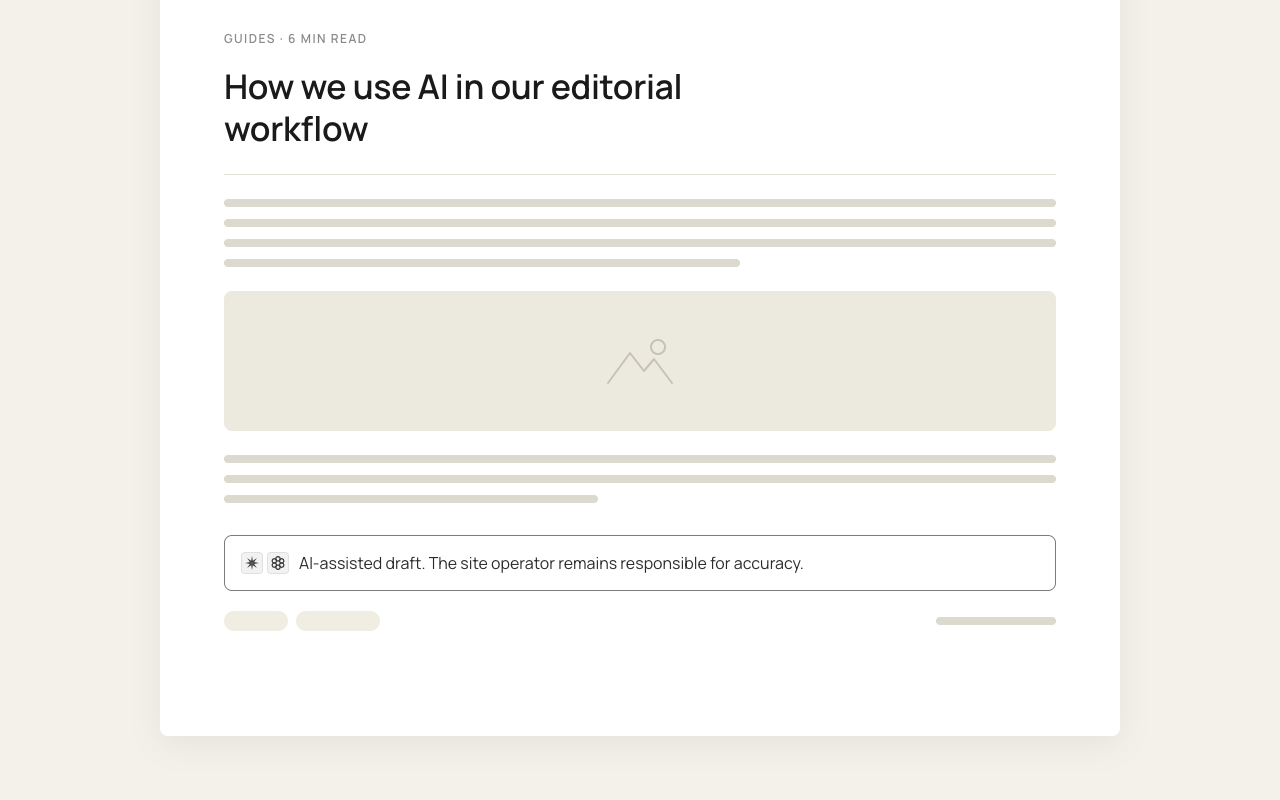
A draft outlined with ChatGPT, a translation produced in seconds, a section tightened by an assistant — AI is part of almost every editorial workflow now. Readers sense the shift, platforms and regulators keep asking, and a single line buried in your privacy policy answers none of it. Saying nothing looks like hiding something.
The solution: one honest notice, exactly where it belongs
AI Content Disclosure turns your editorial policy into something visible and consistent: which tools were used, how far their contribution went, and who remains responsible for the result. Set the wording once for the whole site, then adjust it per article — or per block — whenever a piece was made differently.
Everything stays on your site
Settings and post data live in your own database. No external disclosure service, no tracking pixel, no CDN request — and nothing new for your cookie banner.
Global defaults, local exceptions
One wording for the whole site, overridden per post or per block whenever an article was produced with a different set of tools.
Block editor and classic alike
A native Gutenberg block, a shortcode for page builders and template parts, and an automatic append for everything you would rather not touch by hand.
Plugin features
Everything you need to label AI-assisted content in WordPress — and nothing you have to maintain afterwards.
One settings screen for the whole site
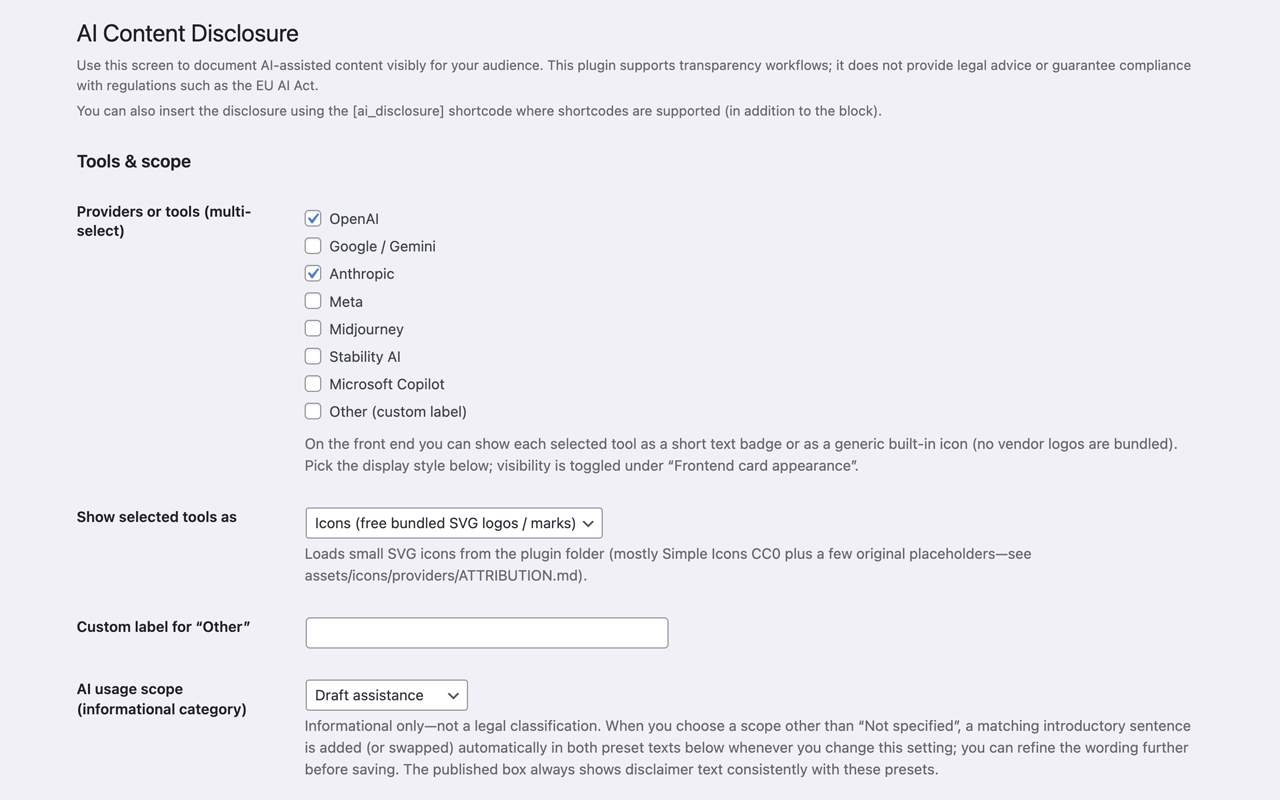
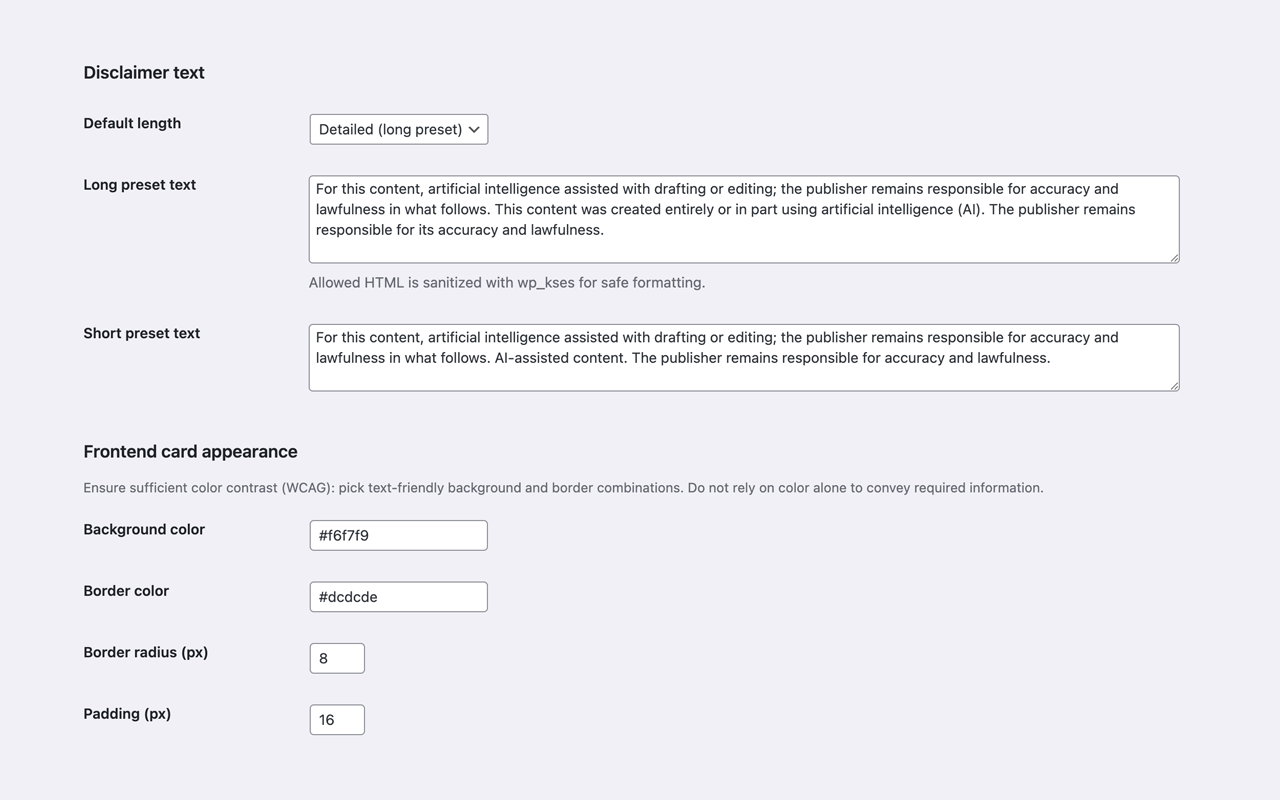
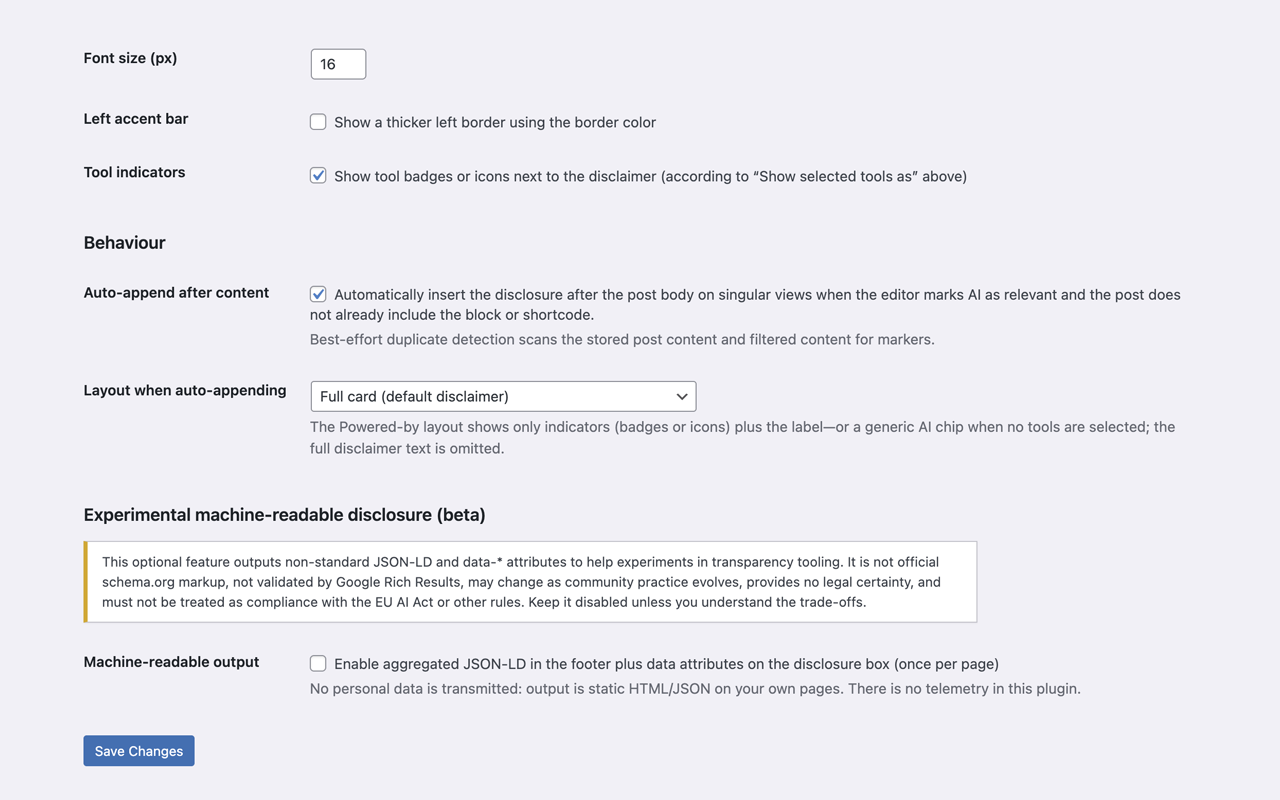
Under Settings → Desk9 AI Content Disclosure you choose the AI tools, edit the long and short disclaimer, style the card (colors, radius, padding, typography, optional accent stripe) and decide whether tool indicators appear at all.
The AI Disclosure block
Insert the dynamic block anywhere in the block editor, pick a layout, and override text, tools or disclaimer length for that instance. Several blocks per post are supported when a long piece was assembled from different sources.
Per-post control in the document sidebar
Inherit the global defaults, write custom text and tools for a single article, hide an inherited notice, or keep one entry out of the automatic append — all without leaving the editor.
Shortcode for everything outside Gutenberg
[deskaico_disclosure] places the same notice in classic editors, page builders, widgets and template parts, with attributes for text, variant, tools and icons.
Automatic notice after the content
Mark a post as AI-relevant and the disclosure is appended after the content on its own. Posts that already contain the block or the shortcode are skipped, so a notice never shows up twice.
Three ways to name the tools
Short abbreviation badges, bundled SVG icons, or plain full names as comma-separated text. Every icon ships with the plugin — nothing is fetched from a remote server.
Usage scope presets
Say how far AI went: inspiration, draft assistance, or a substantial portion of the text. Each scope carries its own coherent long and short wording, so the notice never reads like two sentences glued together.
Experimental JSON-LD (beta, off by default)
Optional machine-readable hints for crawlers and tooling, emitted once per page load. Clearly labelled as experimental — it is not canonical schema.org output and may change.
Accessible, semantic output
The notice renders as a proper <aside>, escaped through an allow-list, with settings copy that reminds you about contrast and not relying on colour alone.
Translation-ready
German translation included, POT file bundled, and a wpml-config.xml for multilingual teams. Community translations run through translate.wordpress.org.
Who uses AI disclosures
Editorial teams & magazines
A house rule every author applies the same way, instead of ten authors inventing ten different sentences.
Agencies & freelancers
Show clients precisely where AI sped things up — and where a human did the work.
Shops & service sites
Label generated product and category copy without redesigning a single template.
Education & public sector
Visible transparency in exactly the places where readers expect to be told.
Live in three steps
- Install and activate the plugin from the WordPress plugin directory.
- Open Settings → Desk9 AI Content Disclosure, choose your tools and adjust the wording.
- Add the AI Disclosure block, drop in the shortcode, or switch on the automatic append.
No command line, no build step, no account. Compiled assets ship with the plugin; the readable sources under src/ are included if you want to audit or fork it.
Technical details
| Version | 1.0.1 |
| WordPress | 6.2 or higher |
| Tested up to | 6.9 |
| PHP | 7.4 or higher |
| Block | deskaico/disclosure |
| Shortcode | [deskaico_disclosure] |
| License | GPLv2 or later |
Screenshots
Transparency, not legal advice
The EU AI Act, platform policies and newsroom guidelines all push in the same direction: people should be able to tell when content was created with AI. This plugin gives you a dependable way to say so on your own pages, in your own words.
What it does not do is settle your legal position. Obligations depend on your country, your role and the kind of content you publish — so treat the bundled wording as a well-made starting point and have a qualified advisor review it if compliance matters to your business.
On the technical side the promise is simple: no telemetry endpoints, no cookies by default, no outbound calls. Every setting stays in your WordPress database behind the usual capability checks.
Frequently asked questions
How do I label AI-generated content in WordPress?
Install AI Content Disclosure, choose your AI tools and wording once under Settings → Desk9 AI Content Disclosure, then place the AI Disclosure block where readers should see it. If you would rather not think about it per article, mark posts as AI-relevant and let the automatic append add the notice after the content.
Does this plugin make my site compliant with the EU AI Act?
No — and no plugin honestly can. It gives you a visible, consistent way to disclose AI use, which is usually the practical part of the job. Whether that satisfies a specific obligation depends on your jurisdiction, your role and your content, so ask a qualified advisor for compliance questions.
Does the plugin send data to external services?
No. There is no bundled telemetry or analytics endpoint. Settings and per-post values are stored in your WordPress database, icons and styles ship with the plugin, and the notice is rendered on your server like any other content.
Do I need the block editor to use it?
No. The shortcode [deskaico_disclosure] works in classic editors, page builders, widgets and template parts, and the automatic append needs no editor at all.
Can different articles name different AI tools?
Yes. The global settings define the default, the document sidebar overrides tools and text for a single post, and the block can override them again per instance — useful when one article was drafted with a different stack than the rest of your site.
Will the notice appear twice if a post already contains the block?
No. The automatic append skips any post that already contains the AI Disclosure block or the shortcode.
Does it work with WPML or Polylang?
A wpml-config.xml ships with the plugin, so WPML can register the admin strings and translate both the custom disclaimer meta field and the shortcode’s text attribute. Other multilingual setups can use the same fields or standard WordPress filters.
Does it slow down my site?
Styles and scripts are small local files. There are no external requests, no web fonts and no remote icons, and the compiled assets ship in build/ — nothing is generated at runtime.
Is AI Content Disclosure free?
Yes. It is published in the official WordPress plugin directory under GPLv2 or later, with no paid tier and no upsell inside the plugin.
Changelog
1.4.0
- Six designs for the notice: keep Classic or switch to an accent bar, minimal, editorial, technical or soft direction. Classic stays selected on existing sites, so updating changes nothing until you choose otherwise.
- Six color schemes, each set at a checked contrast ratio of at least 4.5:1, each with a dark variant that can follow the visitor’s system setting.
- Custom colors with a real picker — a swatch that opens the color wheel, with the hex still editable as text. The text color is new and optional.
- Seven new providers: Mistral AI, xAI / Grok, DeepSeek, Perplexity, Adobe Firefly, Black Forest Labs (FLUX) and Leonardo.ai.
- Icons only where the provider’s real logo ships. Invented symbols were dropped — an abbreviation says more than a made-up mark. Choose the icon display style and the list narrows to the providers a genuine logo exists for.
- New Restore bundled wording button under each disclaimer preset.
- Fix: the icon for the “Other” provider was never valid XML and never rendered anywhere. Present since the first release.
1.3.0
- Mark individual images as AI generated or AI edited — from the media library, or straight from the selected image block.
- An optional pill over marked images: choose the corner, the size, your own wording, and whether the tool is named — “AI generated · Midjourney”.
- The marking belongs to the image itself, so it follows the picture into featured images, archive listings and post content, galleries included.
- Drawn over the picture with CSS, never written into the image file — so it disappears when someone downloads or screenshots it. No permanent watermark.
1.2.0
- The block editor preview is now rendered by the plugin itself, so the canvas shows exactly the markup and styling the front end outputs.
- The front-end stylesheet loads in the editor as well — preview and published page are styled by one and the same file.
- Fix: alignment and margin set on the block applied in the editor but were dropped on the published page. Both are carried through now.
1.1.0
- Breaking (CSS only): every class, id and CSS variable moved from the
acd-prefix todeskaico-. Custom CSS needs updating; settings, content and stored data are untouched. - Translations now arrive as WordPress.org language packs, so a corrected translation reaches sites without a plugin release.
- Fix: the WordPress 6.7+ debug notices about translation loading and script registration are gone — everything boots on
initnow. - Fix: an empty or invalid border color fell back to the background color, which made the border invisible.
- Deleting the plugin now removes its option and all post meta, across a multisite network too.
1.0.6
- Fix: the global long and short presets could end up saved as only the usage-scope lead sentence, without the preset body.
1.0.5
- The usage-scope lead sentence now merges into both presets reliably, including older saves that wrapped it in paragraph tags.
1.0.4
- Block: with Inherit site setting, the front end outputs the wording stored under Settings as-is, instead of applying the lead sentence twice.
1.0.3
- Fix: the usage-scope lead sentence could appear twice in the published notice.
1.0.2
- Fix: Settings → Disclaimer text is honoured whenever a block or shortcode uses the global defaults.
- Empty-looking markup, such as a stray empty paragraph, no longer collapses the notice to nothing.
1.0.1
- Editor preview and front end reliably follow the saved default disclaimer length, including the block inserter preview.
1.0.0
- First public release on WordPress.org: settings screen, disclosure renderer and dynamic AI Disclosure block.
- Shortcode
[deskaico_disclosure], document sidebar with per-post overrides and optional auto-append. - Beta JSON-LD collector and German translation starter pack.
Make your AI use visible
Free, GPL-licensed, and set up in a few minutes from the WordPress plugin directory.
Version 1.0.1 · GPLv2 or later · Desk9 Design